On Air Now
Early Breakfast with Lucy Coward 4am - 6:30am
9 January 2026, 16:38
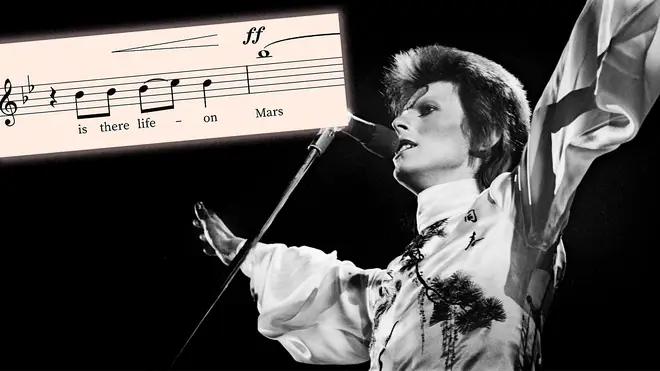

Musical agility and expressive force, and a reminder of the singular talent of the great English singer-songwriter.
10 years ago, a great voice departed our world. And here’s just one performance to celebrate the vocal talent of David Bowie.
He’s generally categorised as a baritone singer thanks to his sonorous and often celebrated lower range. But in Bowie’s early work we hear him in a powerful upper register, and showcasing his fine tenor voice in full effect.
There’s no better example than the glam/cabaret/fantastical epic ‘Life On Mars’, where Bowie rockets up to a B flat with seemingly no difficulty at all. That’s just one semitone below the famous ‘Vincerò’ climax in Puccini’s ‘Nessun dorma’.
Read more: Bells ring out Bowie’s ‘Life on Mars’ at 17th-century Amsterdam church
This isolated vocal track shows that, while intentionally raw and unpolished, his tremendous instrument has real quality and range, whilst never losing its expression, emotion or utter distinctiveness. Truly one of the great voices of the past 100 years.
Sit back and listen to the magic unfold:
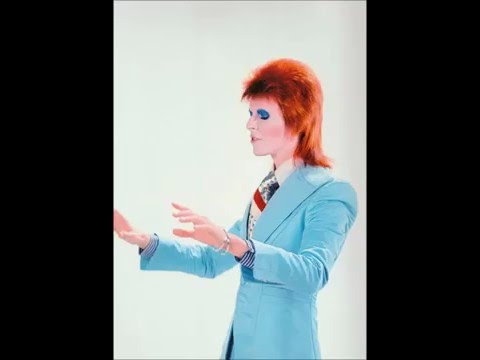
David Bowie - Life on Mars? (Voice mix)
The song was first released on his 1971 album Hunky Dory and is widely regarded as one of Bowie’s finest songs. The brilliant string arrangement by guitarist Mick Ronson is also on show on this isolated clip.
Bowie is reported to have had a vocal range of over three and a half octaves. In songs like ‘Sweet Thing’, he would employ distinctive falsetto flourishes and ornaments taking the voice even higher (up to soprano top Fs, apparently). In some songs he double-tracked his own vocal melodies in two different octaves. All hugely impressive from a vocal point of view.
We’ve also looked into isolated vocals for another great tenor and contemporary of Bowie, Freddie Mercury. His vocals from ‘We Are The Champions’, taken apart from the instrumental offering of the song, have to be heard to be believed.
Bowie died two days after his birthday, on 10 January 2016 – and left the world an incredible, fascinating musical legacy, that will continue to be analysed, admired and adored.